💰 Module Overview
In this tutorial, we'll learn how to define and manage Fee Categories—the foundational groups for all school charges, such as tuition, transport, and laboratory fees.
Fee Categories are used to classify different types of school charges into organized groups. They form the essential building blocks for creating fee structures, invoicing, and clear financial reporting.
🧭 How to Access
Navigate to: Finance → Fee Categories
🎯 Purpose & Importance
Using Fee Categories helps you:
Organize Finances: Group similar fees for better management.
Enhance Reporting: Generate clear reports by category (e.g., total tuition income vs. transport income).
Provide Clarity: Offer transparency to parents on their billing statements.
Maintain Flexibility: Easily create different fee structures for various classes, terms, or student types.
📋 Fee Categories List Overview
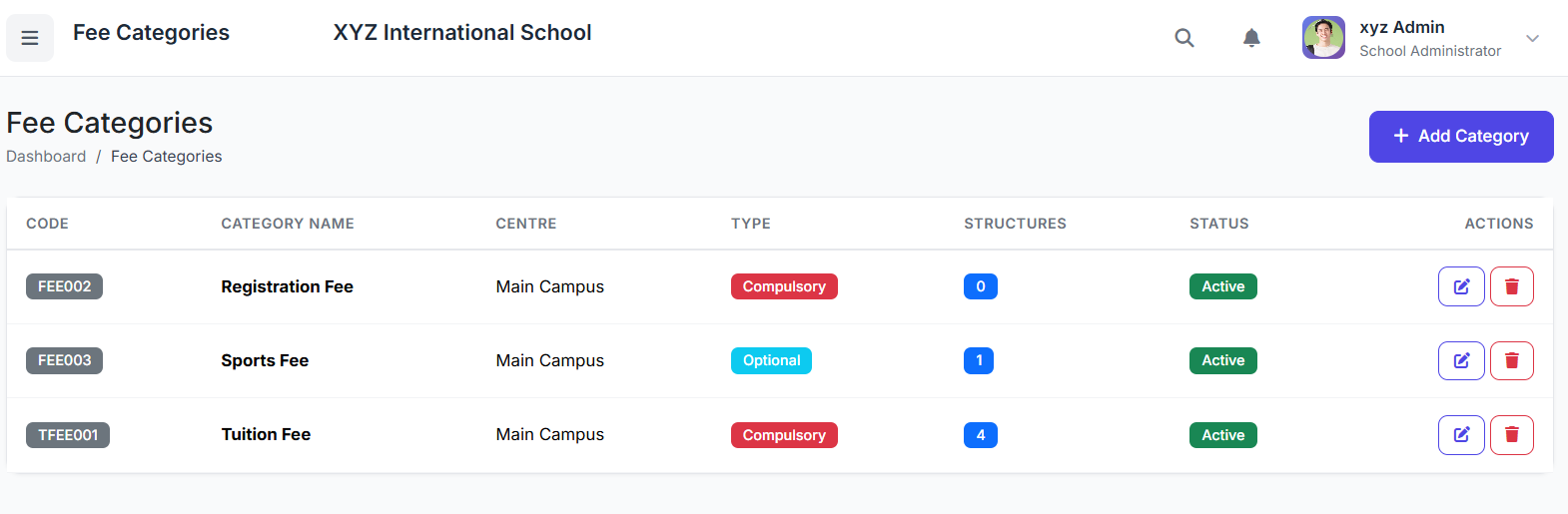
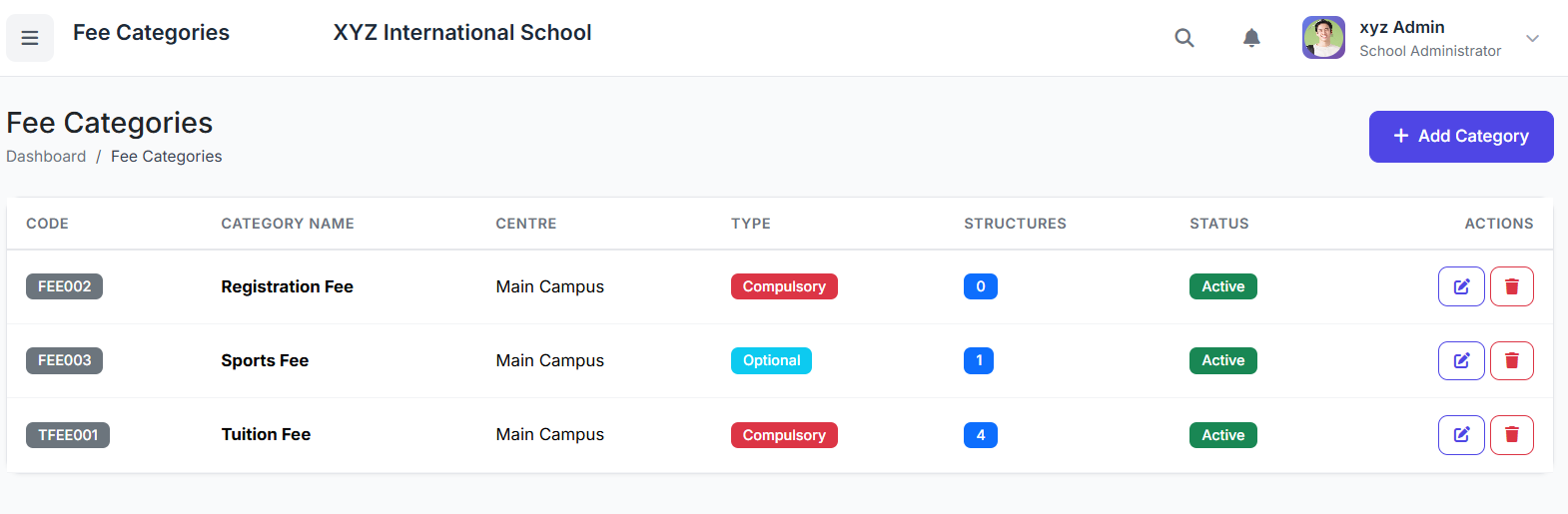
The main page displays all configured categories. Key columns include:
| Column | Description |
|---|---|
| Category Name | Full name of the fee type (e.g., Tuition Fee). |
| Category Code | Short, unique identifier (e.g., TUI). |
| Description | Brief explanation of the fee's purpose. |
| Status | Active or Inactive. |
| Actions | Edit or Delete. |
➕ Creating a New Fee Category
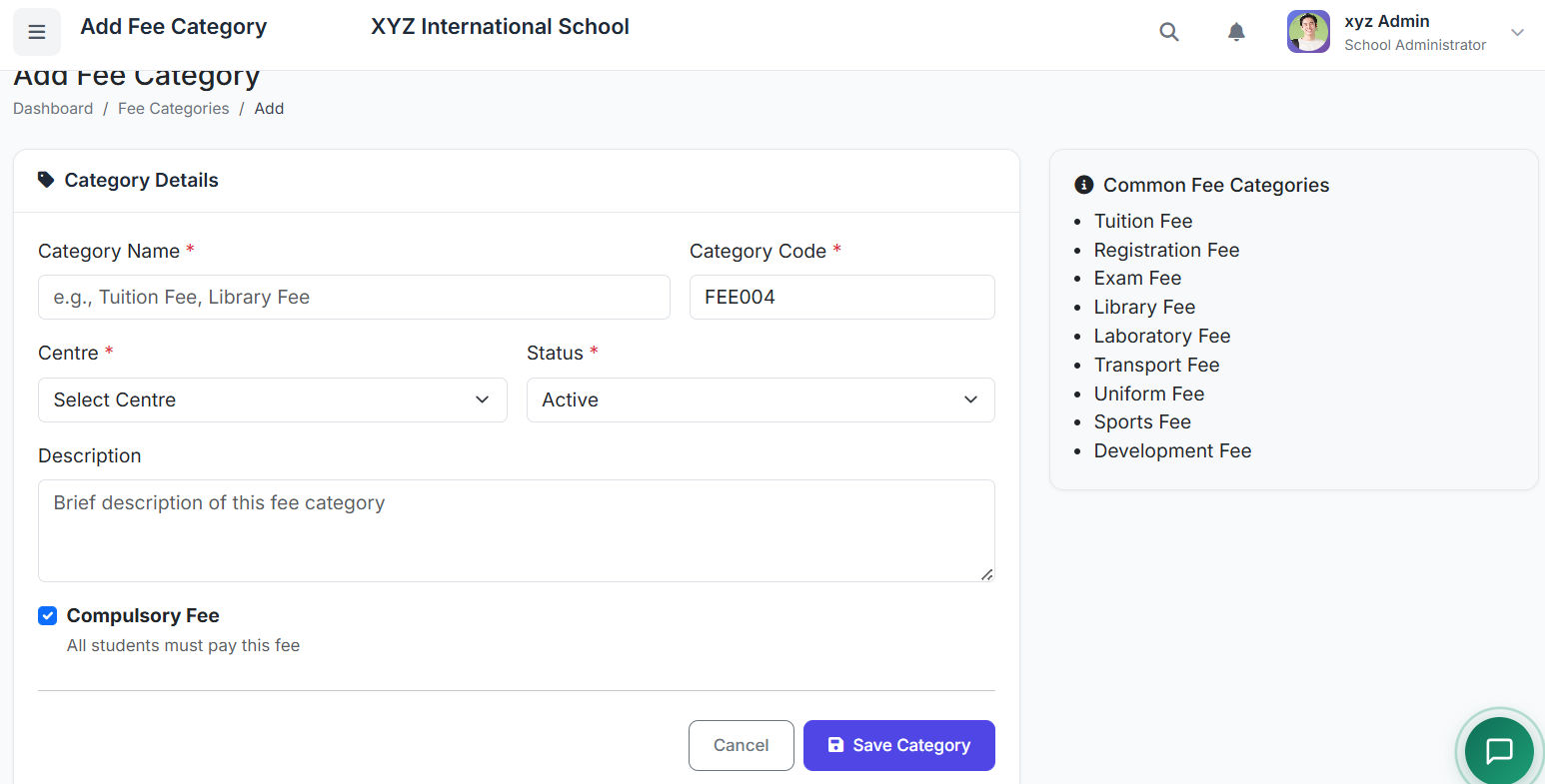
Click the Add Category button.
Fill in the form:
Category Name: (e.g.,
Tuition Fee,Transport Fee).Category Code: A short, consistent code (e.g.,
TUI,TRANS).Description: (Optional) Add details (e.g., "Covers academic instruction costs").
Status: Set to Active (to be usable) or Inactive.
Click Create Category.
📚 Common Fee Category Examples
| Category Name | Typical Code | Purpose |
|---|---|---|
| Tuition Fee | TUI | Core academic instruction charges. |
| Registration Fee | REG | One-time admission/registration charge. |
| Library Fee | LIB | Access to library resources. |
| Laboratory Fee | LAB | Science practical and material costs. |
| Computer Fee | COMP | IT and computer lab usage. |
| Sports Fee | SPT | Athletics and sports facilities. |
| Transport Fee | TRANS | School bus service. |
| Examination Fee | EXAM | Costs related to conducting exams. |
| Hostel Fee | HOST | Boarding and lodging charges. |
| Miscellaneous | MISC | Other one-time or occasional fees. |
✏️ Managing Existing Categories
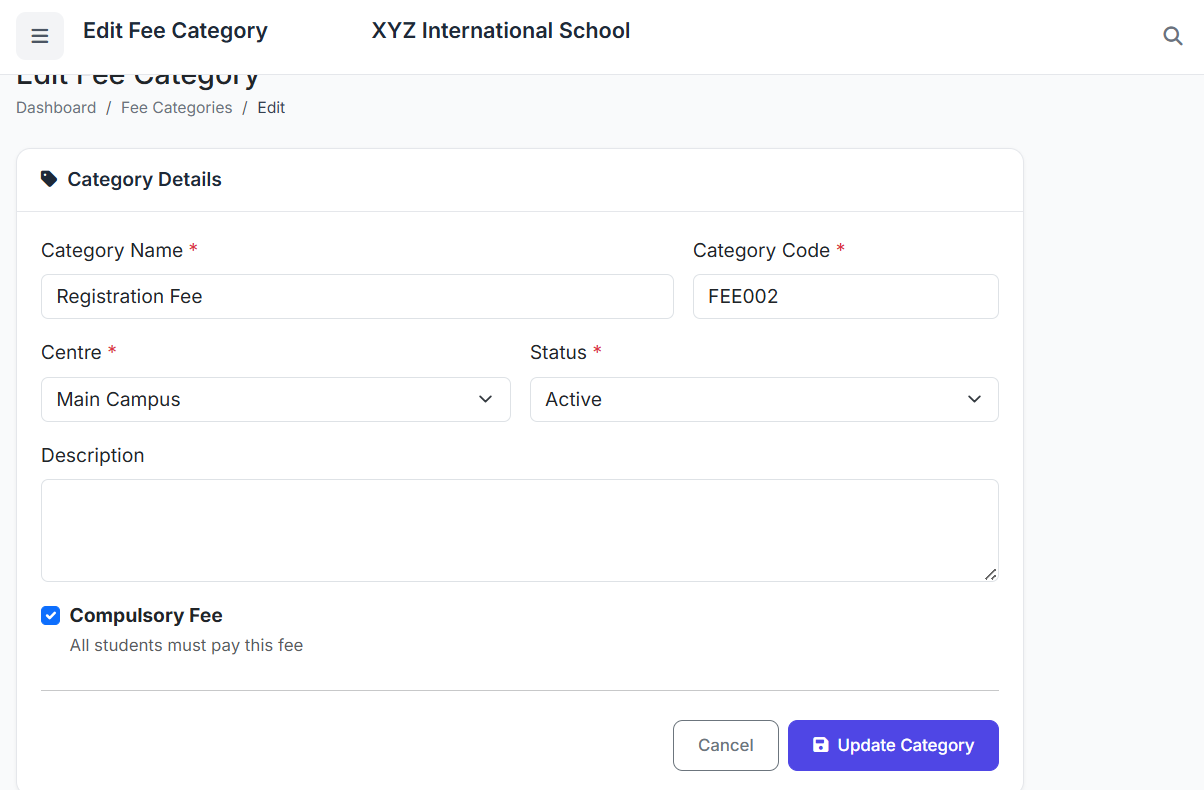
Editing: You can edit a category's name, code, or description at any time by clicking the Edit action.
Deleting (Use Extreme Caution): Do not delete a fee category that already has payment history. This can corrupt financial records and reports. Instead, mark it as Inactive.
✅ Best Practices
Set Up First: Create all necessary fee categories before building fee structures or invoicing.
Clear Naming: Use descriptive and consistent names that are easily understood by parents and staff.
Standardize Codes: Keep category codes short, unique, and logical.
Preserve History: Never delete categories with existing transactions. Use the Inactive status to retire unused categories while keeping historical data intact.
The Fee Categories module ensures an organized, transparent, and flexible foundation for all school financial operations, leading to accurate billing and clear communication with parents.
Next, we will look at creating specific Fee Structures using these categories.