Fee Structures Module in SSMS
Hello everyone, my name is Ola from Lakesoft Solutions.
In this video, I'll be demonstrating the Fee Structures module — which is where schools define the actual amounts to be charged for each fee category, class, and academic year.
This is where we set values like Grade 5 tuition fee per term or library fee per year.
This module ensures accurate billing, flexibility, and clear financial management.
📍 Navigating to Fee Structures
To access this module:
Go to Finance in the sidebar
Click on Fee Structures
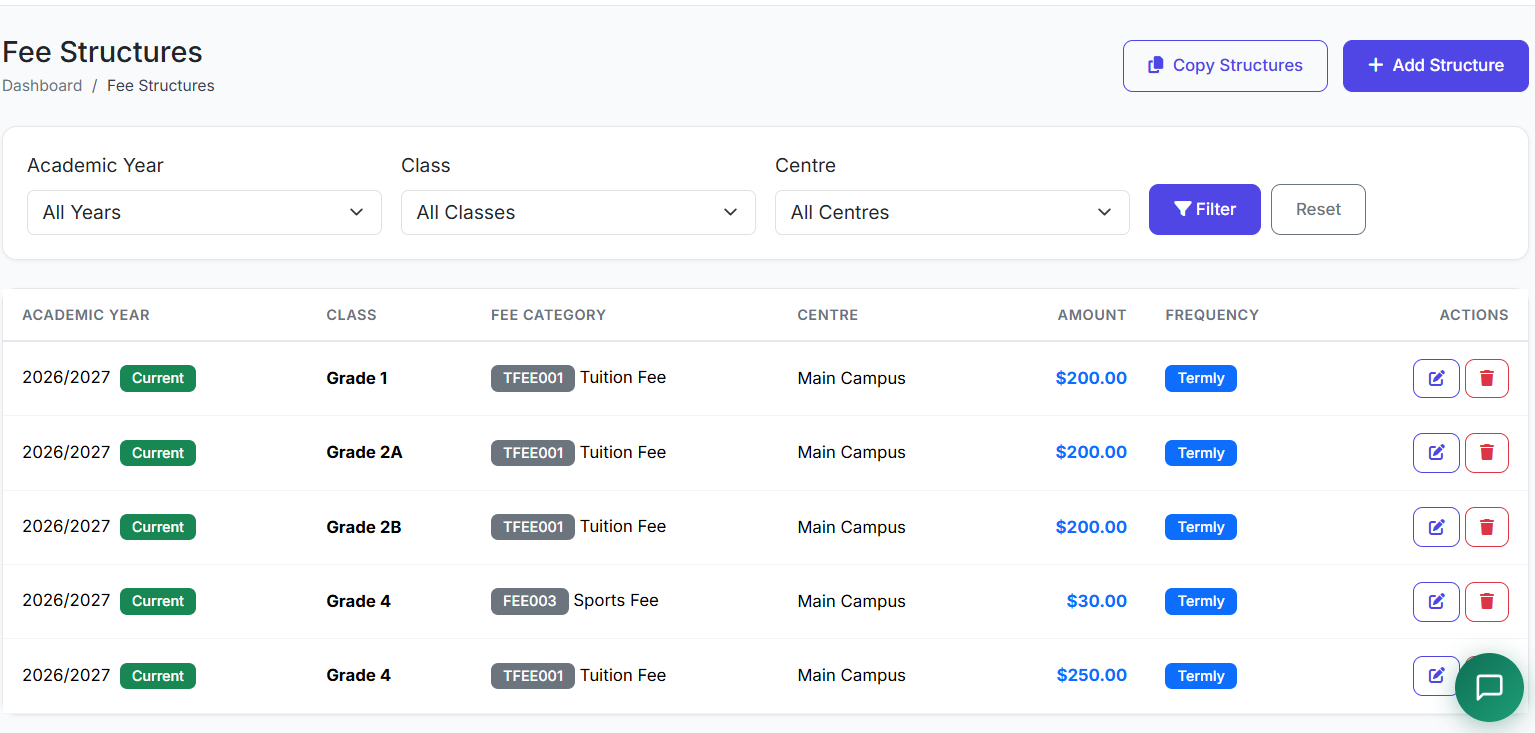
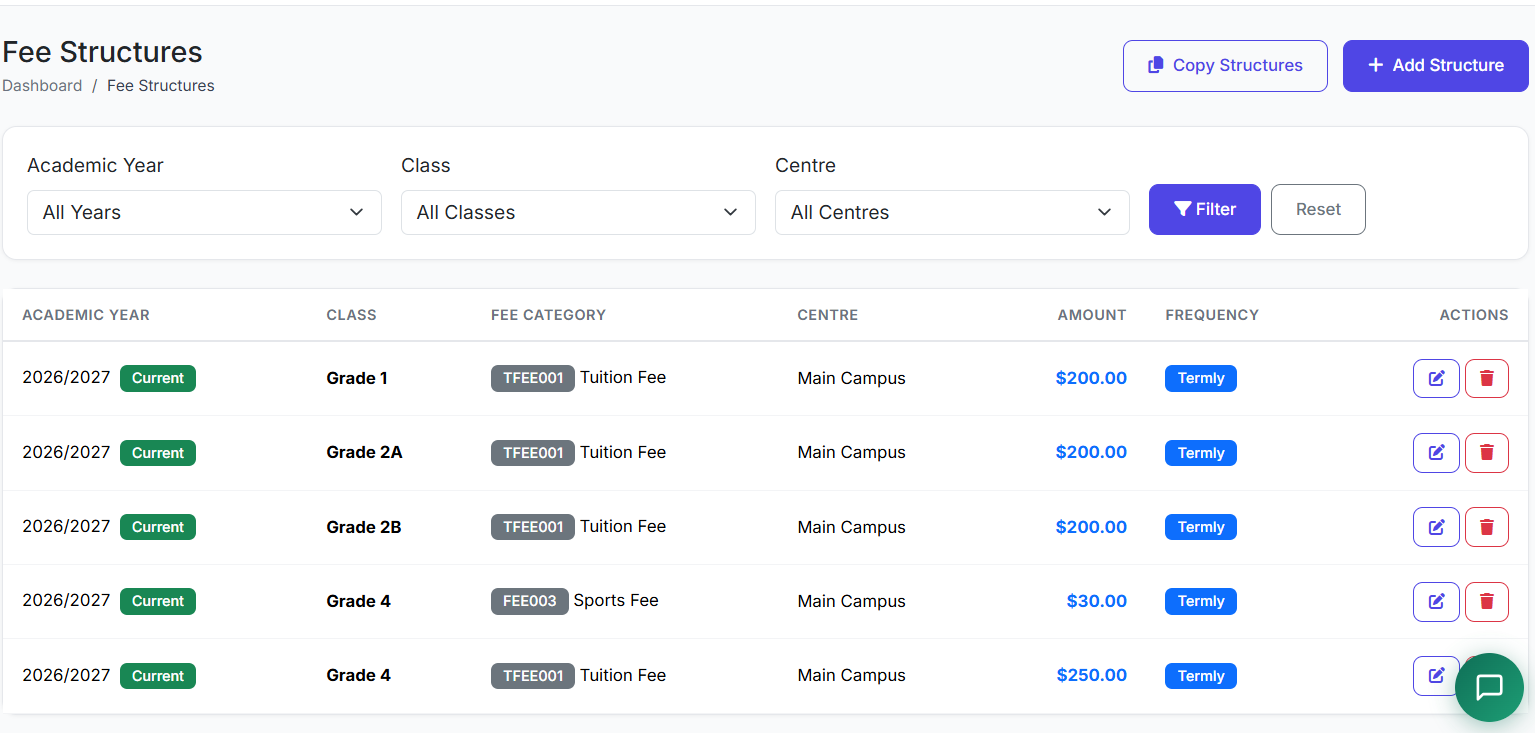
This page displays all configured fee structures in the system.
🧠 Understanding Fee Structures Concept
Fee structures define how much a specific class pays for a particular fee category, within a given academic year.
| Example | Explanation |
|---|---|
| Grade 5 tuition | May pay a different amount than Grade 6 |
| Same fee category | Both share "Tuition" category, but different amounts |
This gives schools full control and flexibility over their billing setup.
📋 Fee Structures List Overview
The Fee Structures list shows all configured fees.
For each entry, we can see:
| Column | Description |
|---|---|
| Academic Year | Which year the fee applies to |
| Class | Which class is charged |
| Fee Category | Type of fee (tuition, library, etc.) |
| Amount | The fee value |
| Frequency | Monthly, termly, yearly, or one-time |
| Due Date | When payment is expected |
| Status | Active or Inactive |
| Actions | Edit, Delete, etc. |
Filters allow administrators to quickly locate structures by academic year, class, or category.
➕ Creating a New Fee Structure
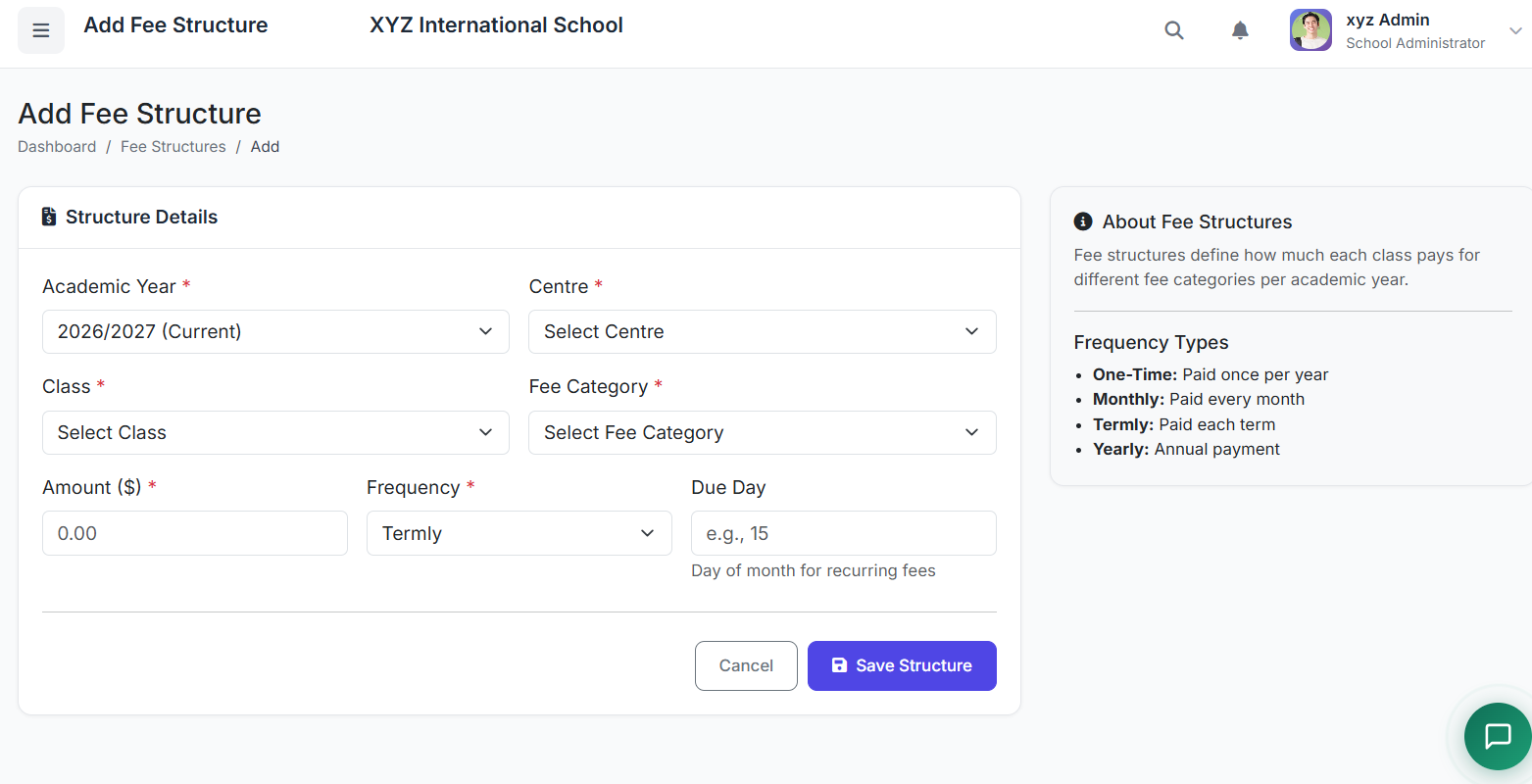
Click Add Fee Structure.
Fill in the form:
Academic Year: Select the relevant year.
Class: Choose a specific class or All Classes if the fee is universal.
Fee Category: Select from your pre-defined categories (e.g., Tuition Fee).
Amount: Enter the numeric fee.
Frequency: Select One-time, Monthly, Termly, or Yearly.
Due Date: (Optional) Set a specific deadline.
Late Fine: (Optional) Configure a fixed amount or percentage penalty for late payment.
Description: (Optional) Add internal notes.
Click Create Fee Structure.
⏱️ Fee Frequency Options
| Frequency | Use Case |
|---|---|
| One-time | Admission/Registration fees. |
| Monthly | Recurring monthly tuition or charges. |
| Termly | Standard per-term tuition fees. |
| Yearly | Annual charges like Library or Sports fees. |
📋 Copy Fee Structure
For faster setup, the system supports copy fee structure creation.
This will copy all fee structures from one academic year to another. Existing structures in the destination year will not be overwritten.
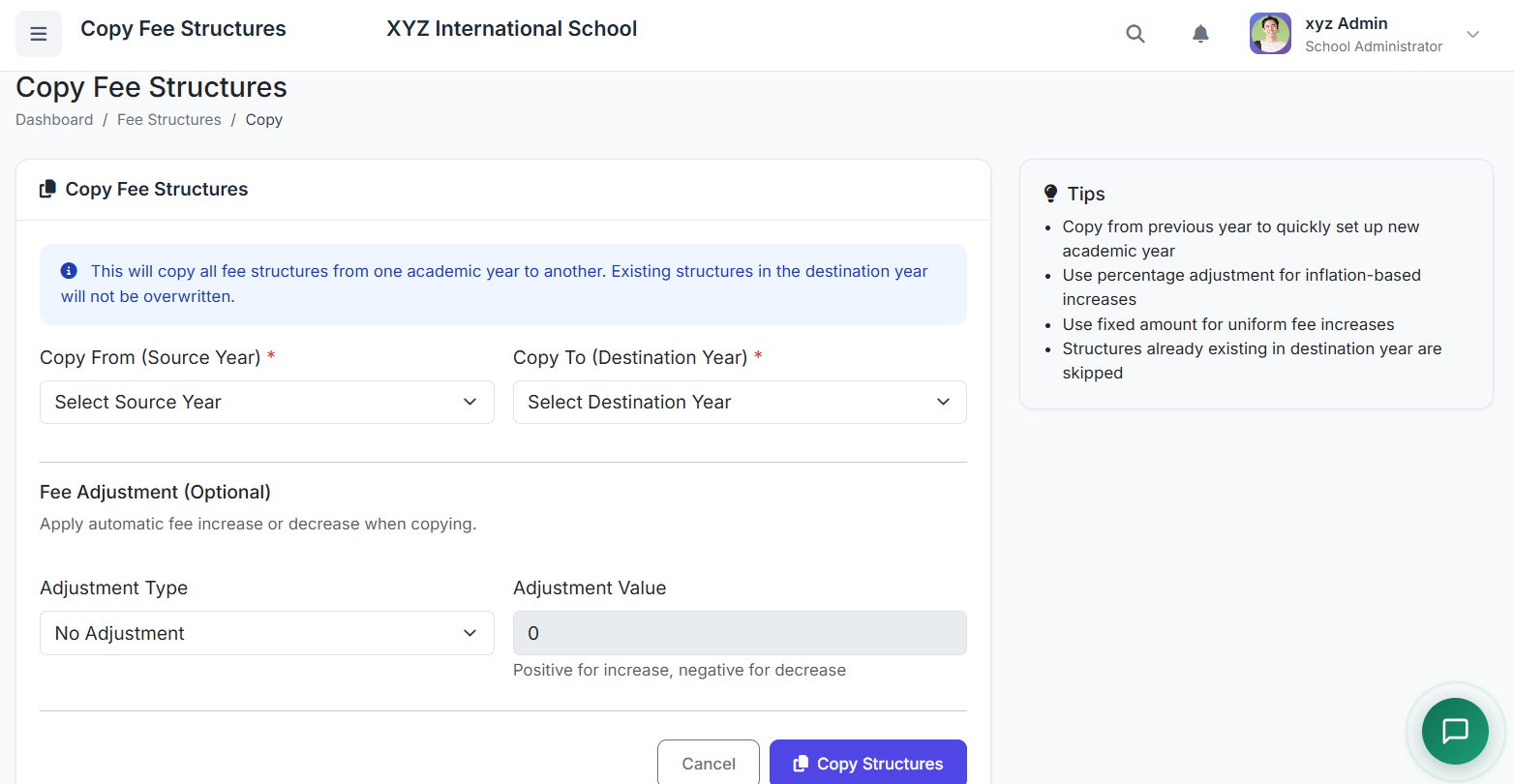
Tips:
Action Benefit Copy from previous year Quickly set up a new academic year Use percentage adjustment Apply inflation-based increases Use fixed amount Apply uniform fee increases
⚠️ Structures already existing in the destination year are skipped.
| Action | Benefit |
|---|---|
| Copy from previous year | Quickly set up a new academic year |
| Use percentage adjustment | Apply inflation-based increases |
| Use fixed amount | Apply uniform fee increases |
⚠️ Structures already existing in the destination year are skipped.
✏️ Editing and Managing Fee Structures
Action Note Edit Existing fee structures can be edited when necessary Effect of changes Apply only to future billing Past billing Not affected by changes
| Action | Note |
|---|---|
| Edit | Existing fee structures can be edited when necessary |
| Effect of changes | Apply only to future billing |
| Past billing | Not affected by changes |
✅ Best Practices
Practice Why It Matters Set up fee structures at the start of each academic year Ensures timely billing Include all applicable fee categories Prevents missed charges Set realistic due dates Improves collection rates Review structures annually Reflects any changes in fees
| Practice | Why It Matters |
|---|---|
| Set up fee structures at the start of each academic year | Ensures timely billing |
| Include all applicable fee categories | Prevents missed charges |
| Set realistic due dates | Improves collection rates |
| Review structures annually | Reflects any changes in fees |
🏁 Closing
That concludes our demonstration of the Fee Structures module.
This module ensures accurate billing, flexibility, and clear financial management.