🎯 Module Overview
In this tutorial, we'll learn how to manage comprehensive student health records, including profiles, clinic visits, and emergency contacts, to ensure well-being and quick access to critical medical information.
The Health & Medical module is a secure, centralized repository for all student health information. It ensures critical medical details, clinic visit records, and emergency contacts are organized, up-to-date, and instantly accessible to authorized staff.
🧭 How to Access
Navigate to: Health → Health & Medical
This opens the Health Dashboard.
📊 Health Dashboard
Get an immediate overview of student health status and activity:
| Metric | Description |
|---|---|
| Total Health Profiles | Number of students with recorded health information. |
| Recent Medical Visits | Latest clinic visits, often with reasons. |
| Emergency Alerts | Flags for serious allergies, conditions, or expired information needing attention. |
Quick Links provide direct access to core features:
Health Profiles
Medical Visits
Emergency Contacts
🧑⚕️ Health Profiles Overview
A Health Profile is a digital health record for each student, containing vital medical information that may be needed in an emergency or for daily care.
🧭 How to Access Profiles
Navigate to: Health → Health Profiles
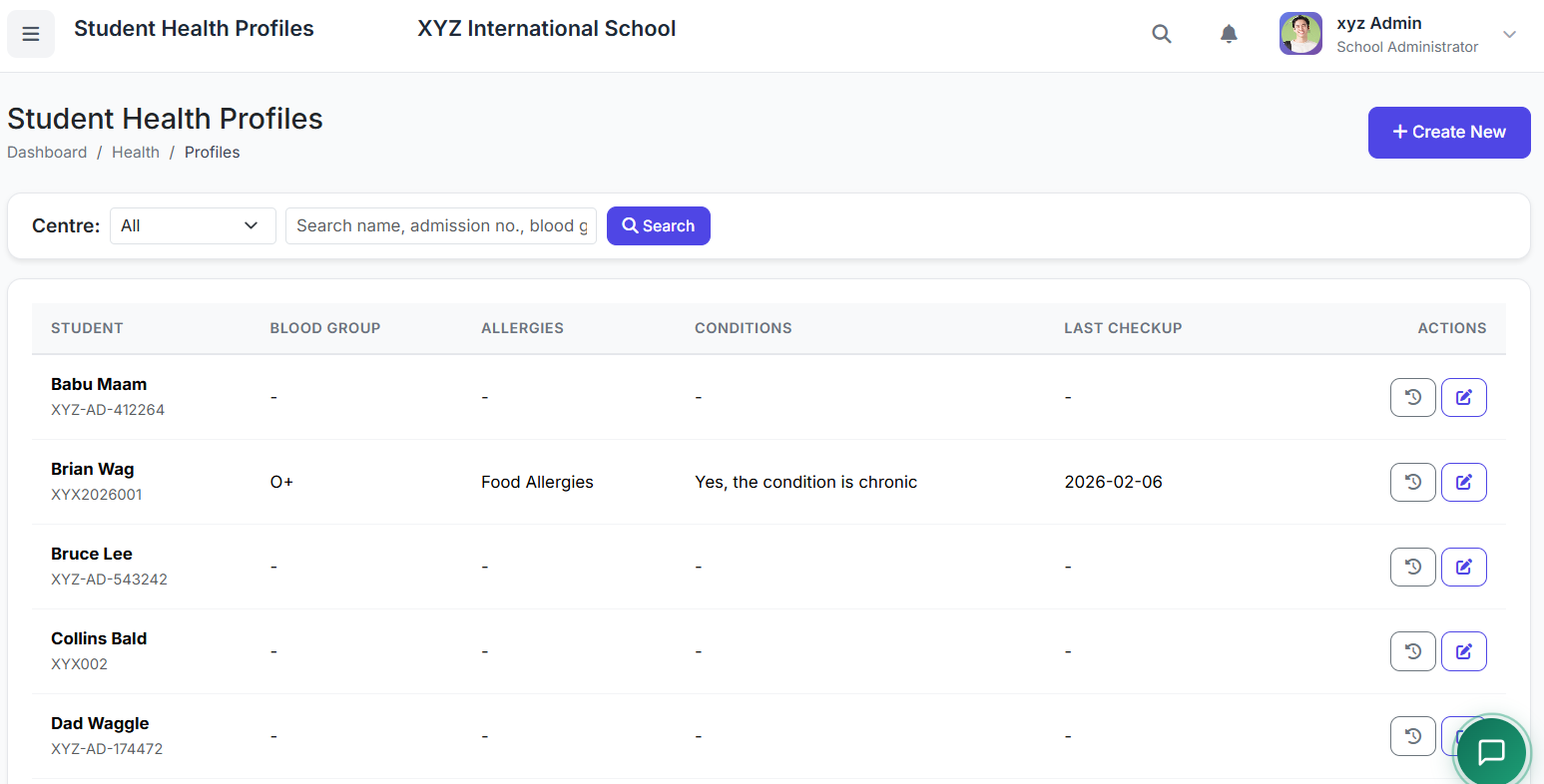
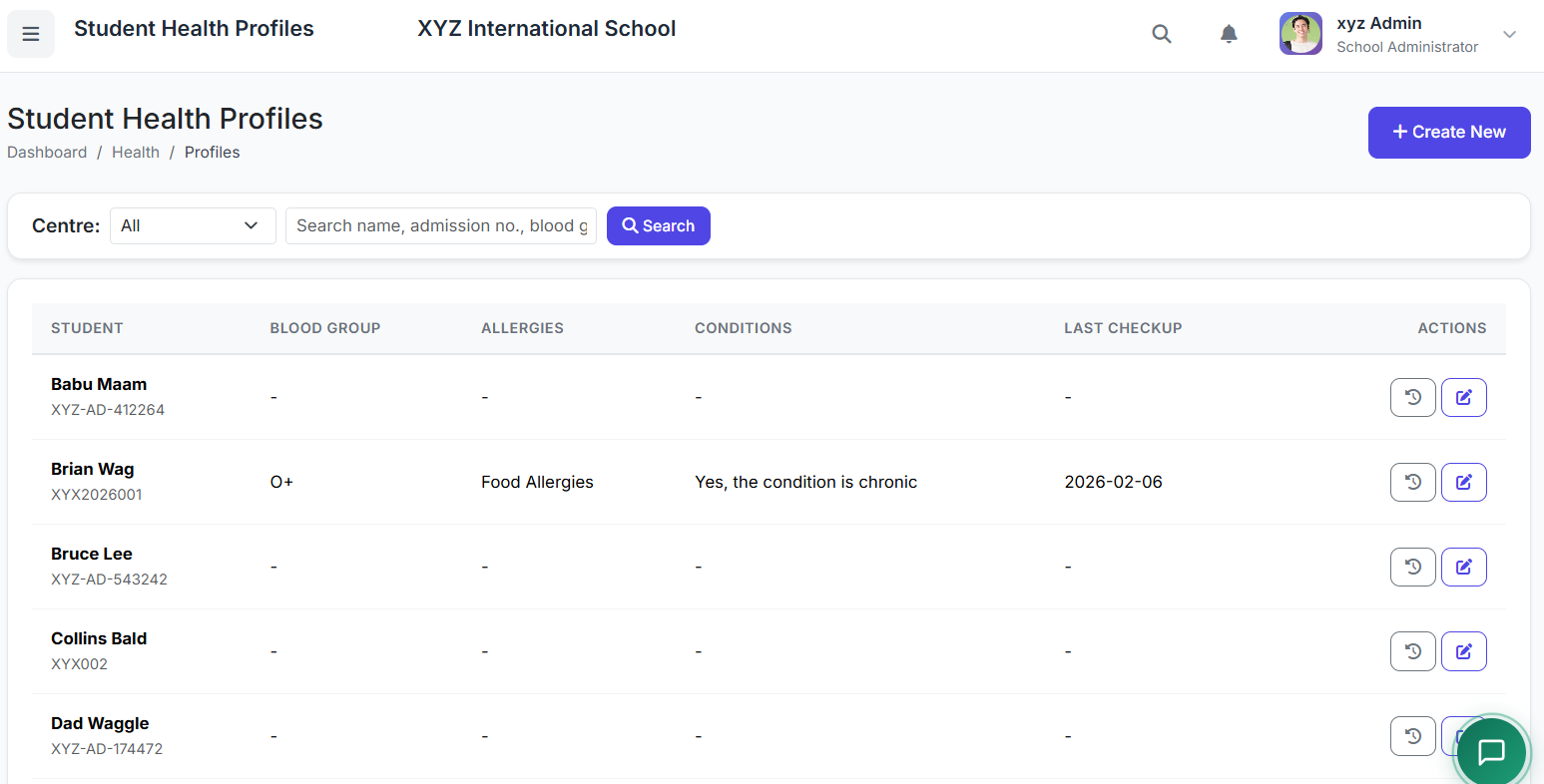
📋 Health Profiles List
View all students with stored health data. Columns typically show:
Student Name
Blood Group
Allergies (Key alerts, e.g., "Peanuts", "Penicillin")
Chronic Conditions (e.g., "Asthma", "Diabetes")
Last Checkup Date
Actions (View, Edit)
👁️ Viewing a Full Health Profile
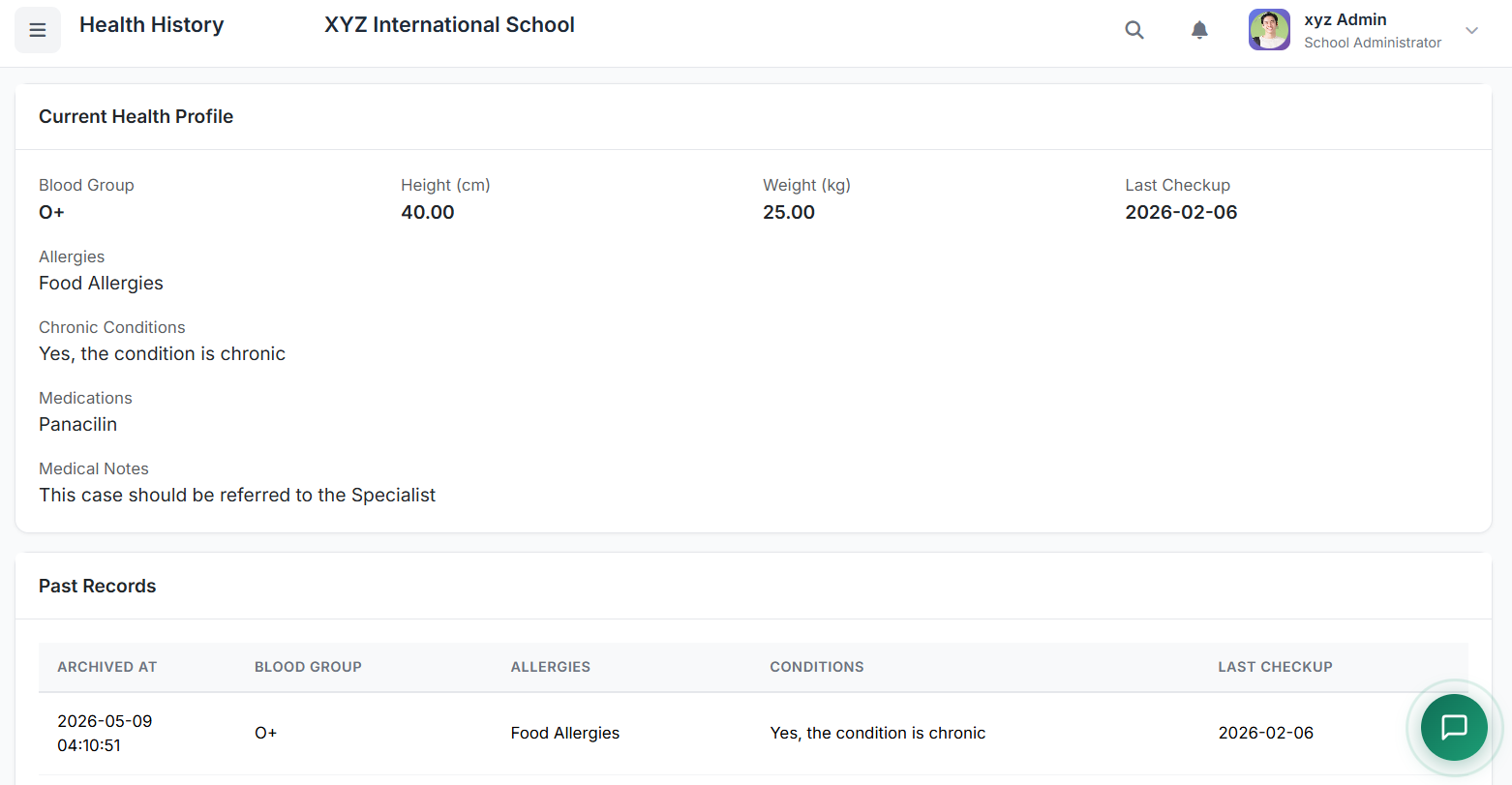
Click View to see the complete record, which may include:
| Section | Details |
|---|---|
| Basic Info | Blood Group, Height, Weight, BMI. |
| Allergies | List of allergens and reaction severity. |
| Medical Conditions | Chronic or past significant illnesses. |
| Regular Medications | Dosage and schedule. |
| Immunization Records | Vaccination history and due dates. |
| Medical History | Past surgeries, hospitalizations. |
| Vision/Hearing Tests | Results and dates of screenings. |
| Emergency Contacts | Primary contacts with phone numbers. |
✏️ Creating or Updating a Profile
To Create/Update:
From the Profiles list, click Add Profile or Edit on an existing one.
Fill in or update the sections:
Basic Health Info: Blood Group, Height, Weight.
Allergies & Conditions: Be specific.
Medications: Name, dosage, frequency.
Immunizations: Record dates and upload scanned cards if possible.
Special Notes: Any other critical information (e.g., "Uses inhaler before PE").
Click Save Profile.
Best Practice: Update profiles at least annually or whenever a student's health status changes.
✅ Best Practices for Health Management
Annual Collection: Gather and update health information at the start of each academic year via parent forms.
Highlight Critical Info: Use the Emergency Alerts section or tagging for life-threatening allergies/conditions.
Confidentiality: Ensure strict access controls so only authorized personnel (nurse, principal) can view full profiles.
Integration: Link Medical Visits to the relevant student's profile to maintain a complete health history.
Parent Communication: Use the system to generate vaccination reminders or health summary reports for parents.
Health Profiles form the foundational record for student well-being. Keeping them accurate and detailed is crucial for effective care and emergency response.
Next, we will cover Medical Visits (Clinic Logs) and Emergency Contacts Management.