📝 Module Overview
Exam Types classify different assessments (e.g., First Term Exam, Continuous Assessment) within the examination system. They allow for structured scheduling, weighted grading, and organized result analysis.
🧭 How to Access
Navigate to: Examinations → Exam Types
🎯 Purpose & Benefits
Using Exam Types helps you:
Organize: Group similar exams together for better management.
Apply Weighting: Assign a specific percentage contribution of each exam type to the final grade.
Improve Reporting: Filter and analyze results by exam type for clearer insights.
Facilitate Scheduling: Plan the assessment calendar effectively across a term or year.
📋 Exam Types List Overview
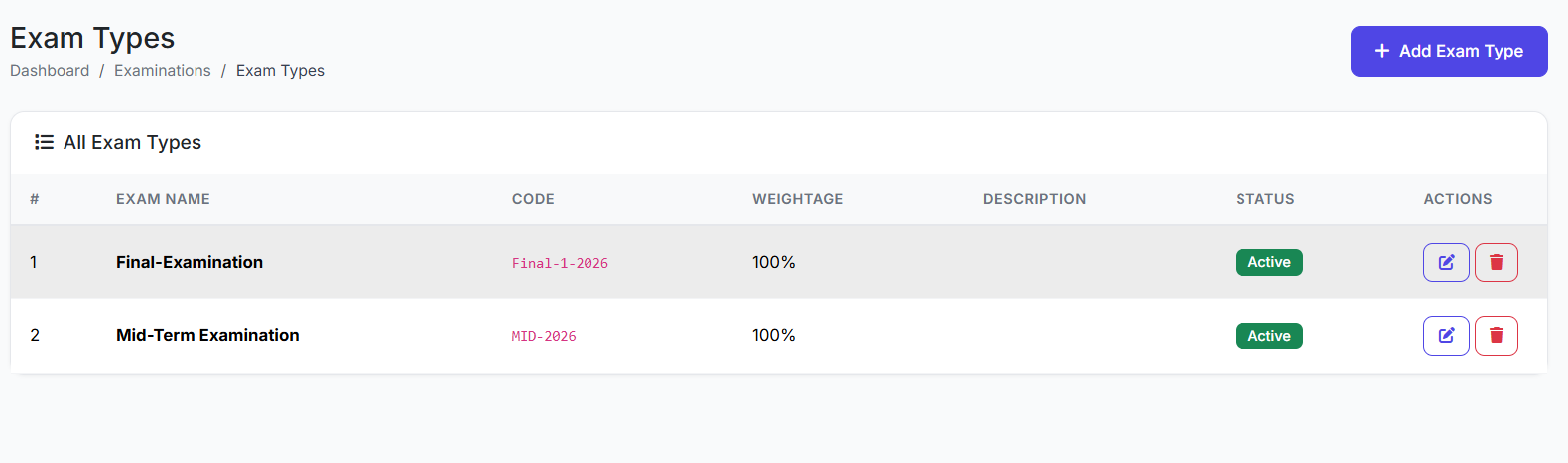
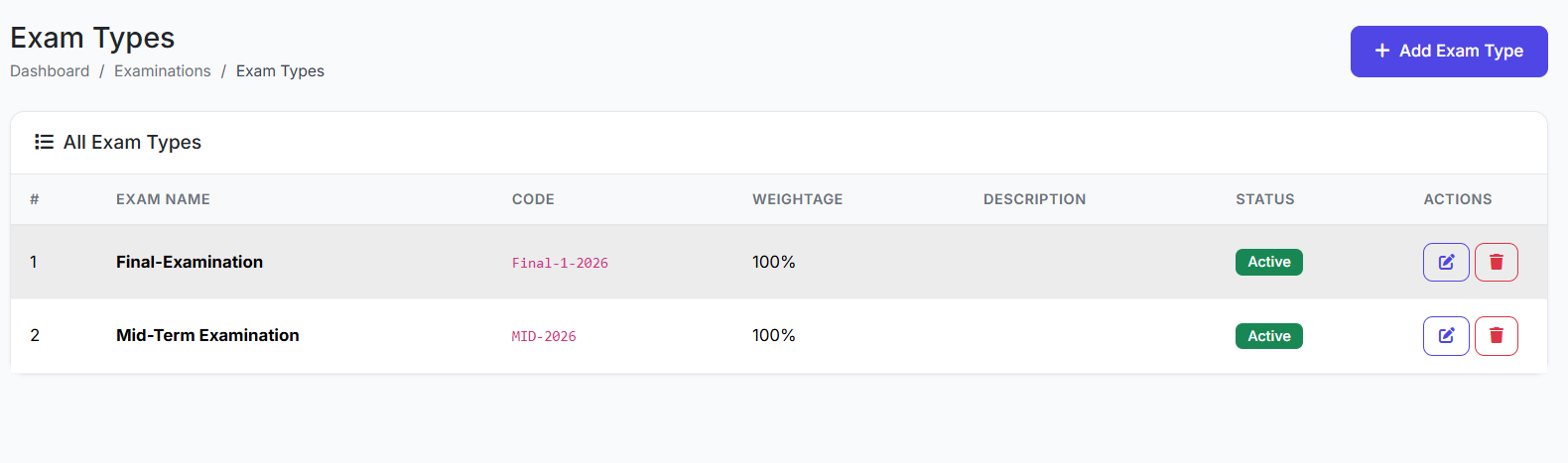
The main page displays all defined exam types. Key columns include:
| Column | Description |
|---|---|
| Type Name | Full name of the exam type (e.g., First Term Examination). |
| Code | Short identifier (e.g., FT). |
| Weight | Percentage contribution to the final grade. |
| Status | Active or Inactive. |
| Actions | Edit or Delete. |
➕ Creating a New Exam Type
Step 1: Open the Form
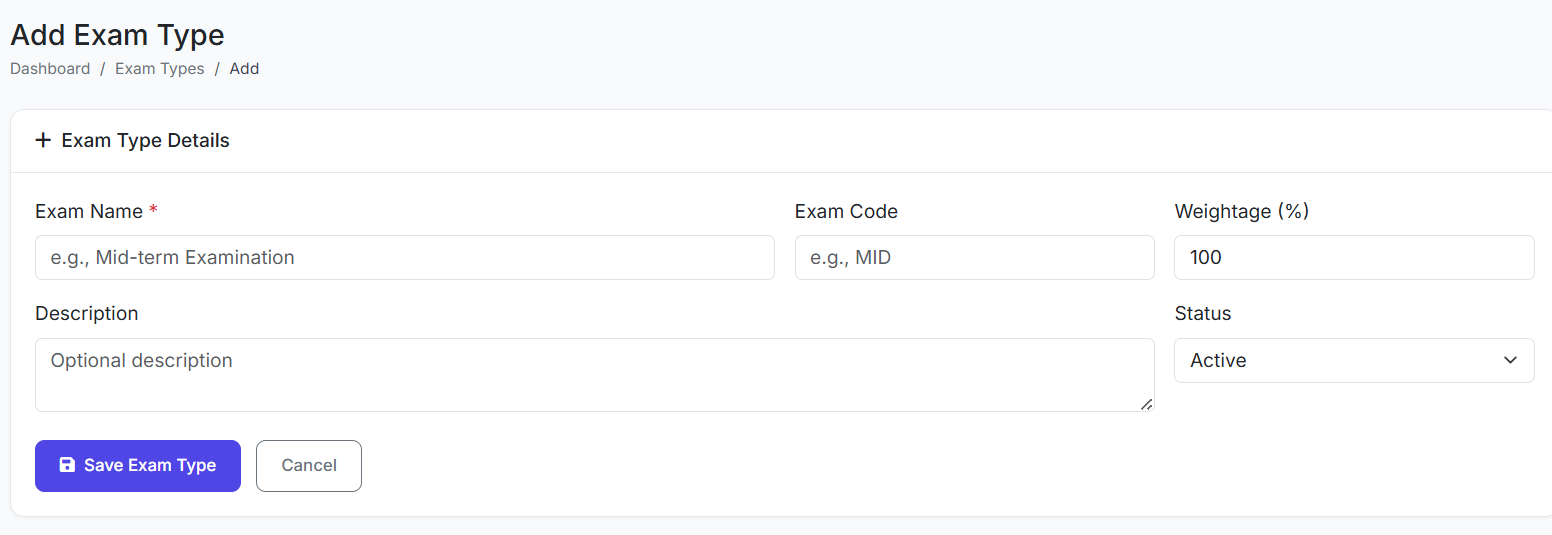
Click the Add Exam Type button.
Step 2: Fill in the Details
Type Name: Enter the full name (e.g.,
First Term Examination).Type Code: Enter a short, unique code (e.g.,
FT).Weight (%): Define the percentage this exam type contributes to the final term/annual grade (e.g.,
40).Description: (Optional) Add clarifying notes.
Status: Set to Active (to be usable) or Inactive.
Step 3: Save
Click Create Exam Type. The new type will appear in the list.
📚 Common Exam Type Examples
| Exam Type | Typical Code | Suggested Weight |
|---|---|---|
| Continuous Assessment | CA | 20% - 30% |
| Mid-Term Test | MT | 15% - 25% |
| First Term Examination | FT | 40% - 50% |
| Second Term Examination | ST | 40% - 50% |
| Final Examination | FE | 50% - 60% |
Note: Weights should reflect your school's specific assessment policy and typically add up to 100% per grading period.
✅ Best Practices
Plan Ahead: Create all required exam types before setting up individual exam schedules.
Consistent Naming: Use a clear and consistent naming convention (e.g., always "Examination" vs. "Exam").
Logical Weighting: Ensure the combined weights of all active exam types in a term logically accumulate to the final grade calculation.
Archive, Don't Delete: Instead of deleting obsolete exam types, mark them as Inactive. This preserves historical data integrity and allows for reuse if needed.
The Exam Types module provides the foundational structure for organizing assessments, enabling accurate weighted grading and clear academic reporting.
Next, we will look at creating specific exam schedules and entering marks.