🎯 Module Overview
In this tutorial, we'll cover an introduction to the Hostel Management module, covering the dashboard and the initial steps to set up and manage hostel buildings within your school.
The Hostel Management module is a comprehensive system for managing student boarding facilities. It handles everything from defining hostel buildings and rooms to allocating beds, tracking occupancy, and monitoring related fees and revenue.
🧭 How to Access
Navigate to: Hostels → Hostel Management
This opens the Hostel Dashboard.
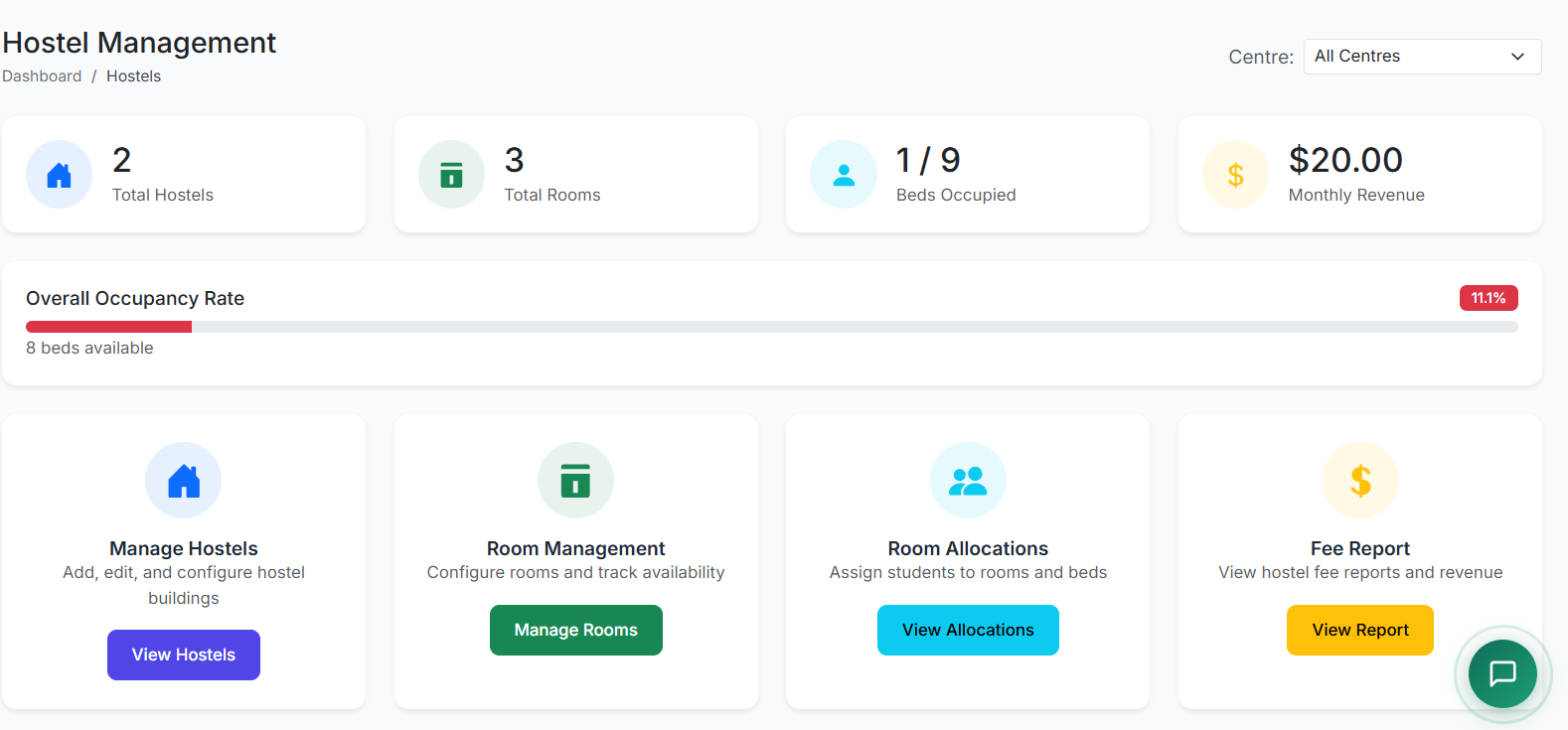
📊 Hostel Dashboard
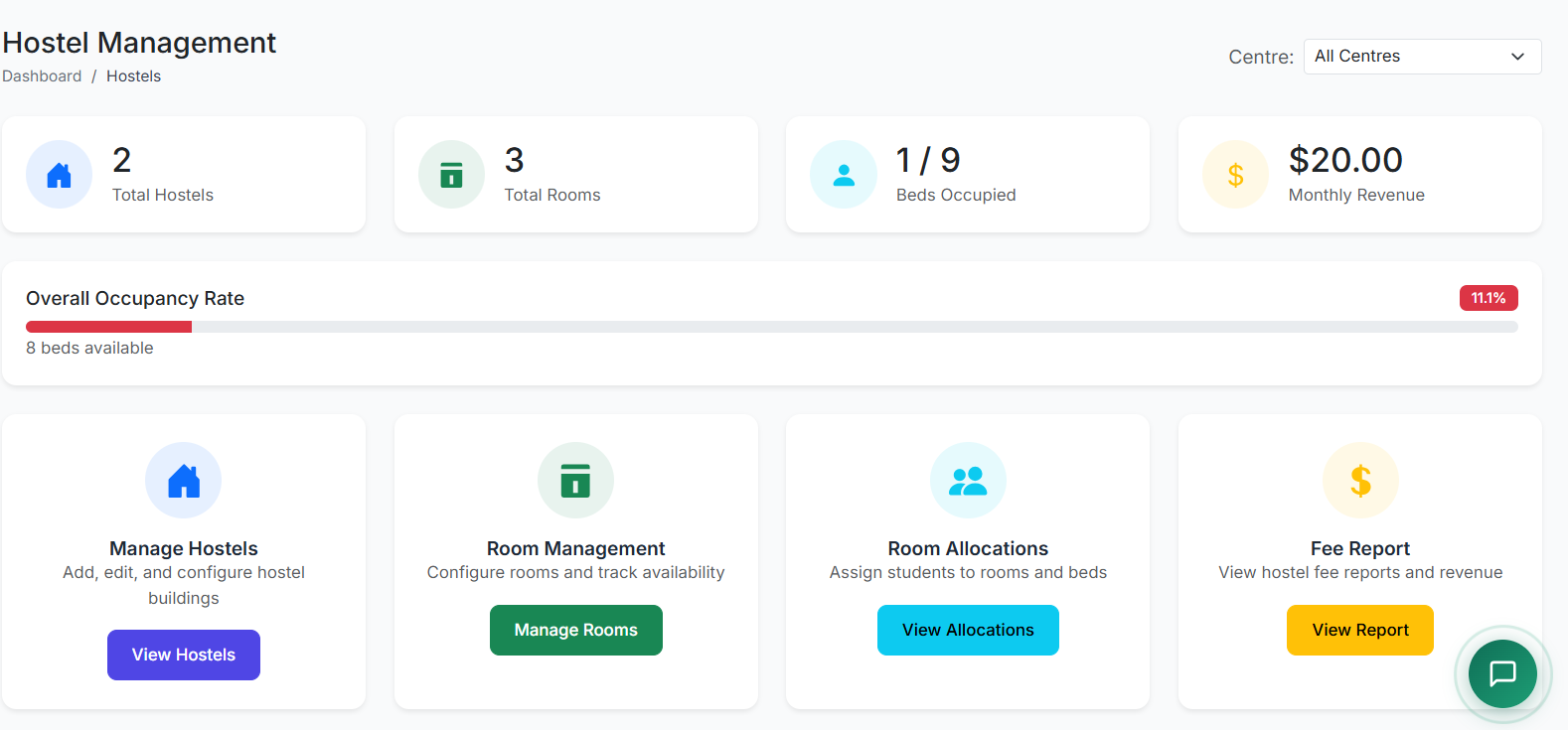
The dashboard provides an instant operational snapshot:
| Metric | Description |
|---|---|
| Total Hostels | Number of hostel buildings configured. |
| Total Rooms | Combined count of all rooms across hostels. |
| Beds Occupied | Current number of assigned students. |
| Monthly Revenue | Income from hostel fees for the current period. |
| Occupancy Rate | Percentage of total beds currently occupied. |
Quick Actions on the dashboard provide one-click access to:
Manage Hostels
Configure Rooms
Allocate Students
View Fee Reports
🏢 Part 1: Managing Hostel Buildings
Accessing the Hostel List:
Navigate to: Hostels → Manage Hostels
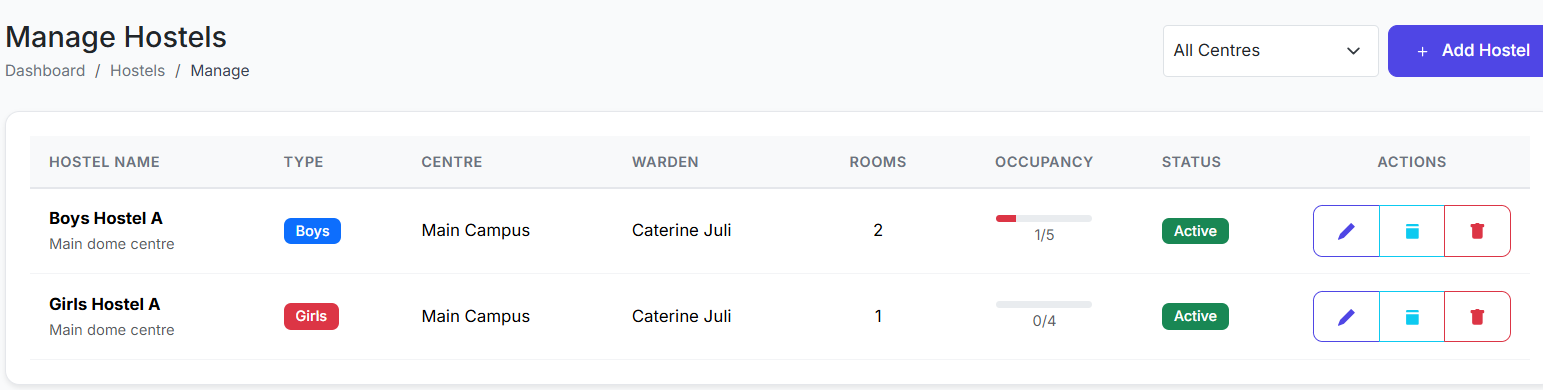
Hostels List Page:
The main table displays all hostels. Key columns include:
Hostel Name
Type (Boys, Girls, Mixed)
Centre (Location/Branch)
Warden (Assigned staff)
Rooms (Total number of rooms)
Occupancy (Current bed count vs. capacity)
Status (Active, Inactive, Under Renovation)
Actions (Edit, View Rooms, Delete)
➕ Adding a New Hostel
Click Add Hostel.
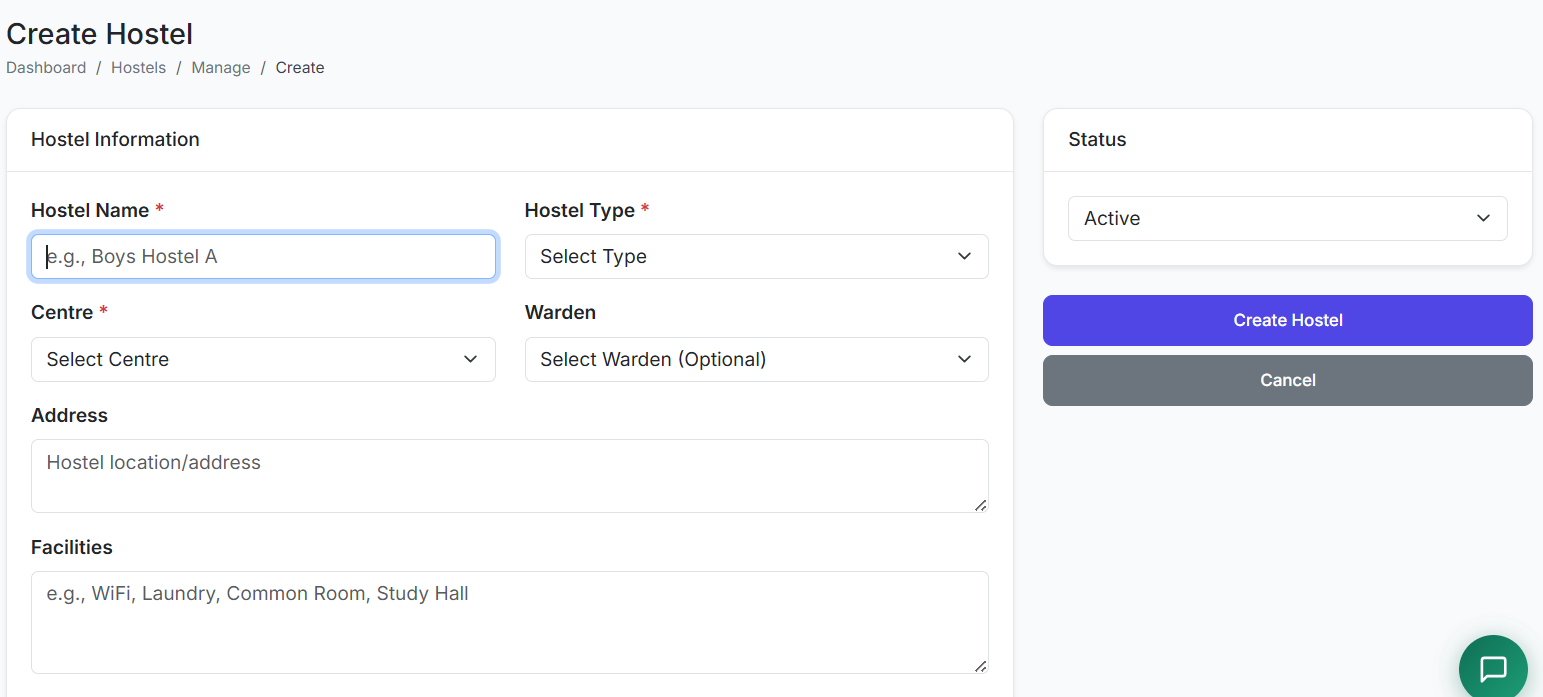
Fill in the form:
Hostel Name: (e.g., "Girls Hostel - Block B")
Hostel Type: Select Boys, Girls, or Mixed.
Centre: Select the relevant school branch/centre.
Warden: (Optional) Assign a staff member in charge.
Address & Facilities: (Optional) Add physical address and list amenities (Wi-Fi, Laundry, etc.).
Status: Set to Active.
Click Create Hostel.
Result: The hostel is added to the system and becomes available for room configuration and student allocation.
✅ Best Practices for Hostel Setup
Clear Naming: Use descriptive names that include type and location (e.g., "Senior Boys Hostel - North Wing").
Accurate Type: Correctly classify hostels as Boys, Girls, or Mixed to ensure proper student allocation filters later.
Assign Wardens: Designating a warden for each hostel streamlines management and responsibility.
Start with Structure: Fully configure all hostel buildings before setting up individual rooms and beds.
The Manage Hostels section is the foundational step, defining the physical buildings that will house students. Once hostels are created, you can proceed to configure rooms, beds, and then assign students.
Next, we will cover Room Management and Bed Allocation.