🎯 Module Overview
In this tutorial, we'll learn how to generate professional student identification cards with photos, details, and verification codes for both digital use and physical printing.
The ID Cards module enables schools to create standardized student identification cards. It supports individual and bulk generation, includes barcodes/QR codes for verification, and produces print-ready files for creating durable physical ID cards.
🧭 How to Access
Navigate to: Documents → ID Card
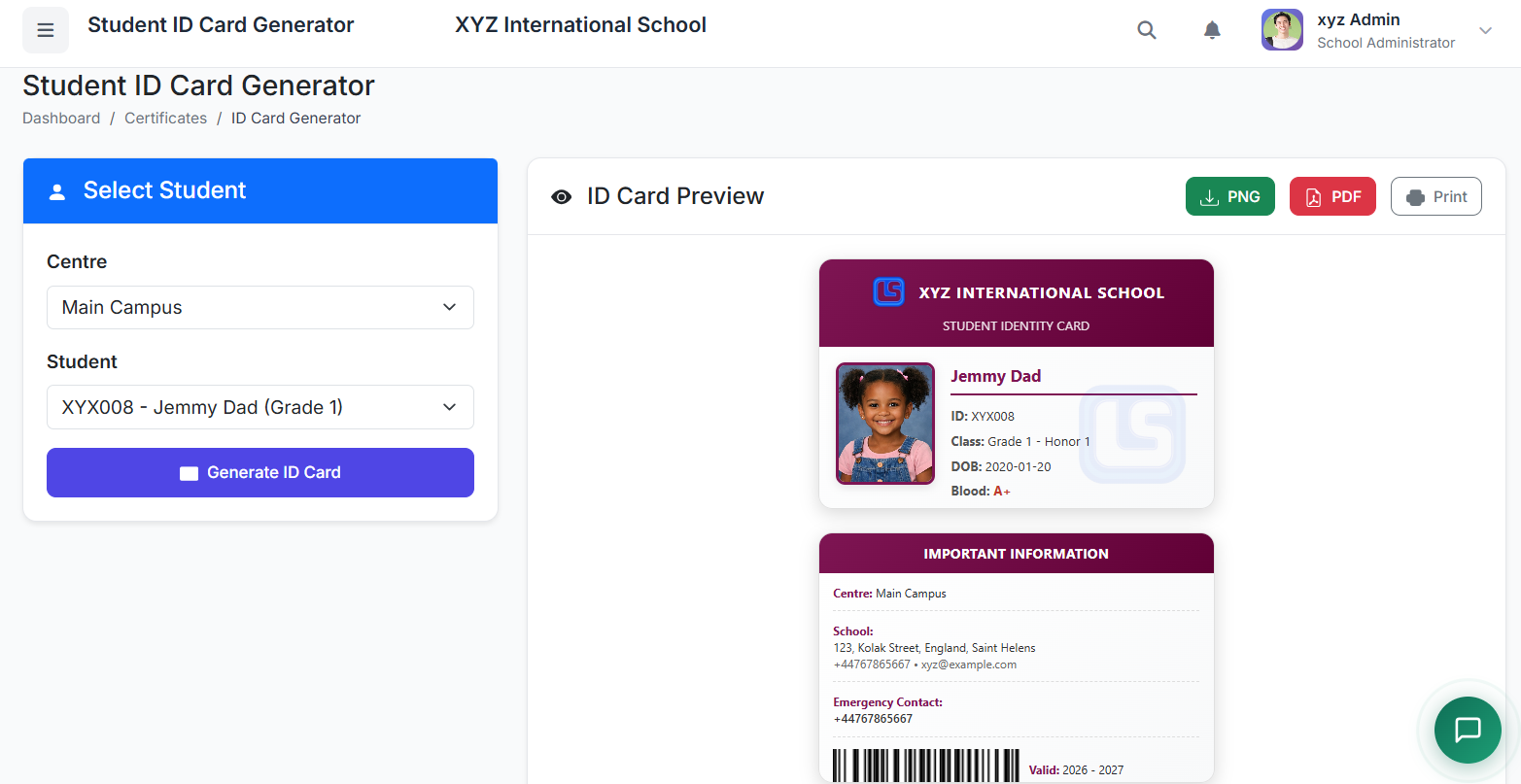
📋 ID Card Generation Interface
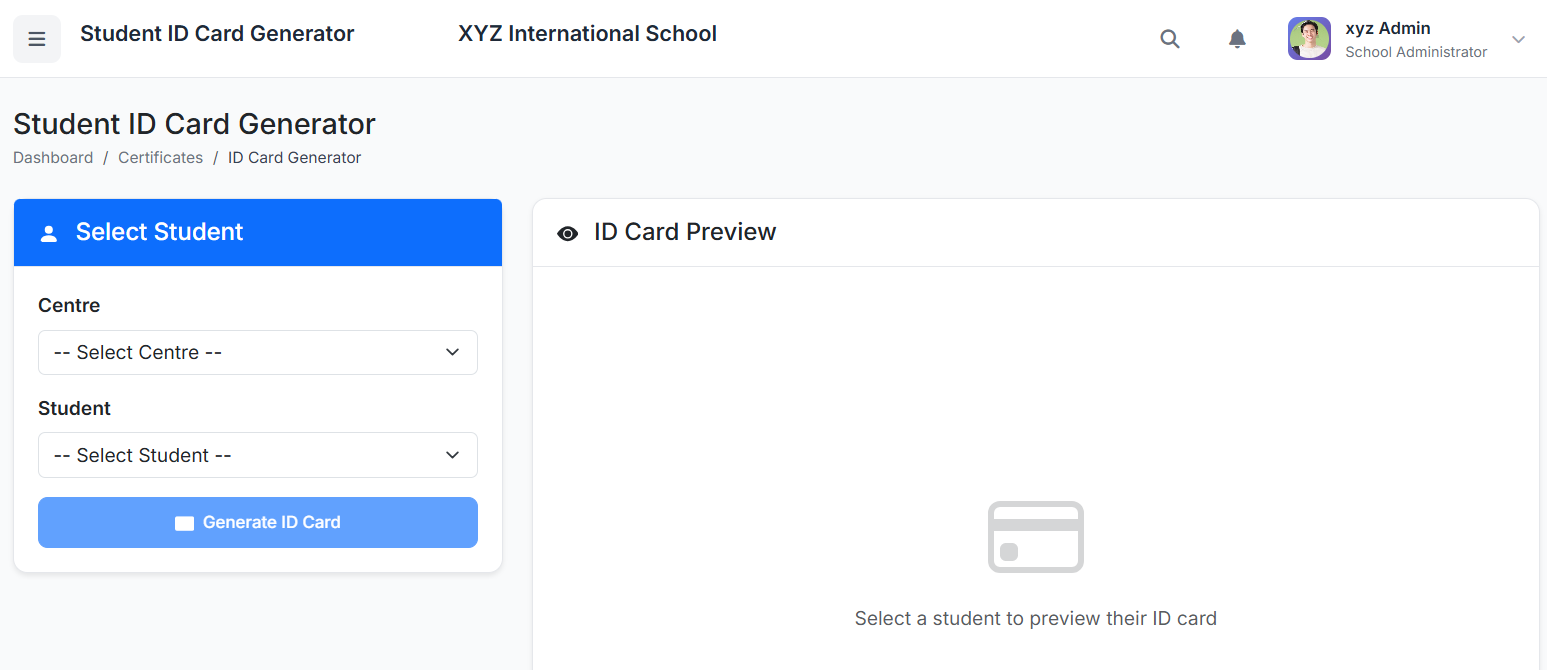
Step 1: Filter & Load Students
Use the filters at the top to select:
Centre (for multi-branch schools)
Class
Section
Click Load Students.
The system displays a list of matching students with their photos and basic details.
Step 2: Generate Cards
You have two options:
| Method | Process |
|---|---|
| Individual | Click Generate ID Card next to a single student's name. |
| Bulk (update) | Check the boxes for multiple students, then click Generate Selected. |
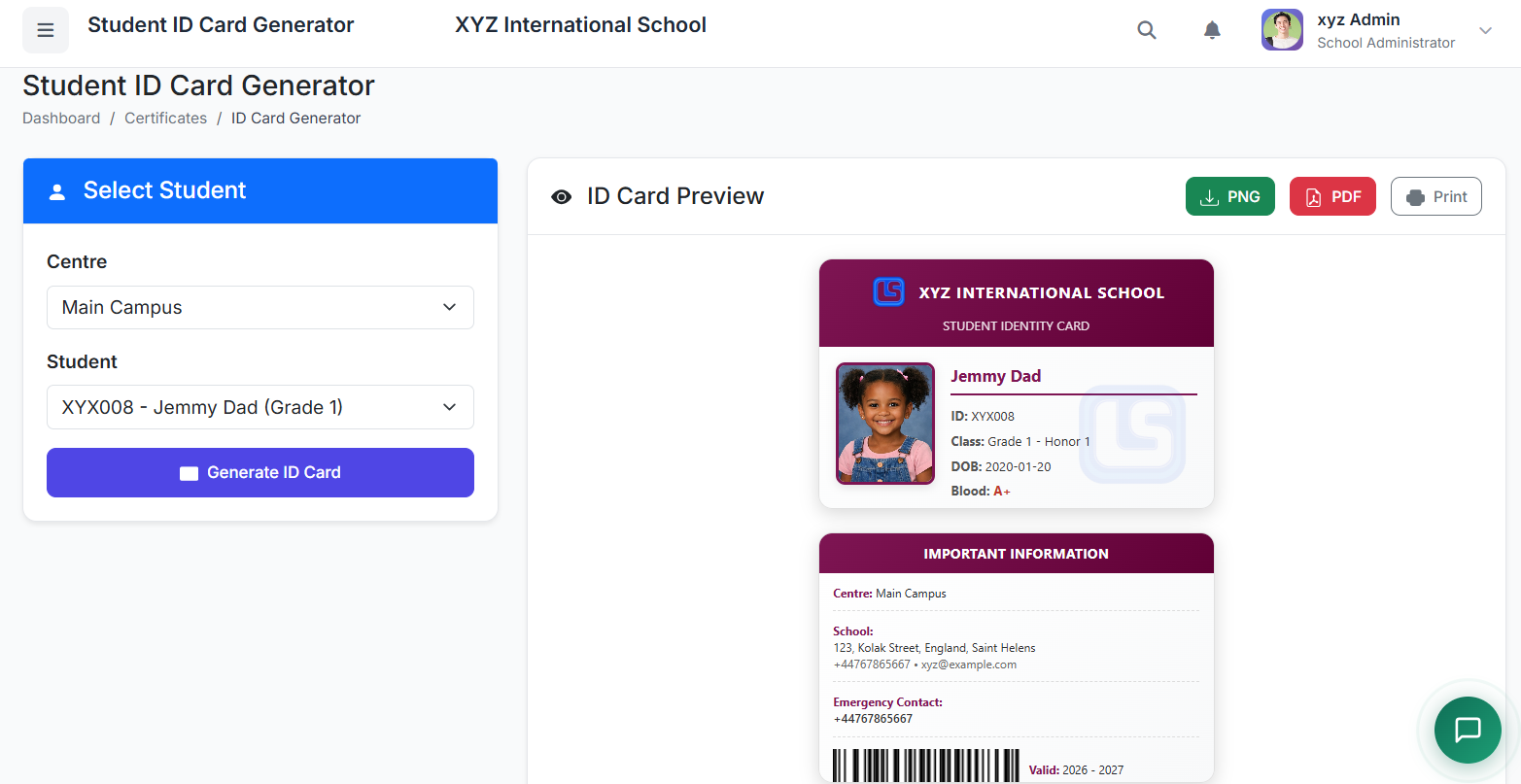
👁️ ID Card Preview & Design
A preview window shows the card's Front and Back with school theme color:
Front Side Typically Includes:
School Logo & Name
Student Photo
Full Name
Class & Section
Admission/Student ID Number
Academic Year
Note that the download link will not work if there is no photo in the ID card front page
Back Side Typically Includes:
School Address & Contact
Emergency Contact Number
Blood Group (if data is available)
Validity Date
💾 Download & Print Options
| Option | Best For | Action |
|---|---|---|
| Download PNG | Digital use, email, online portals. | Click Download as PNG. |
| Download PDF | High-quality printing, especially for bulk. | Click Download as PDF. |
| Print Directly | Immediate printing on connected printer. | Click Print. |
✅ Best Practices
Photo Quality: Ensure student photos are clear, recent, and uniform (e.g., plain background, good lighting).
Annual Updates: Regenerate ID cards each academic year to update class information and photos.
Quality Materials: For physical cards, print on PVC card stock or high-quality ID card paper and laminate for durability and longevity.
Verify Information: Double-check student details (name, class, ID number) in the preview before bulk printing.
Secure Distribution: Have a clear process for issuing physical cards to students to prevent loss or misuse.